



















Biamp Blog
.png?sfvrsn=b0a75d80_1)
Most AV projects don’t stall because of the technology. They stall because of revisions, misalignment, and slow approvals. Designs get reworked, stakeholders ask for changes late in the process, and installers are left translating concepts into reality—often more than once. The result is lost time, rising costs, and unnecessary friction.
Starting every project in Workplace Designer changes that dynamic. It creates a clear, guided path from initial room concept to a deployable, repeatable design—so teams can move faster, stay aligned, and scale with confidence.
Why AV projects slow down
In many deployments, design happens in fragments. A rough concept is created, equipment is selected in isolation, and documentation is assembled later. Each handoff introduces interpretation, and each interpretation invites revision. Add multiple stakeholders—IT, facilities, integrators, consultants—and approval cycles can stretch for weeks.
Without a shared design foundation, even small changes ripple through the project, forcing time consuming revisions and new approvals.
Start in design to remove downstream friction
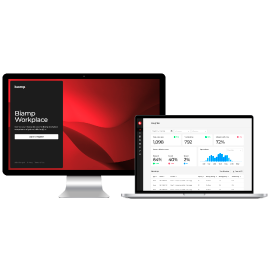
Workplace Designer puts structure around the earliest phase of the project, where the biggest efficiency gains can be made. Instead of beginning with loose diagrams or spreadsheets, teams start with a guided, room-specific workflow that aligns layout, technology, and performance requirements from the beginning.
Designing with intent reduces guesswork, minimizes rework, and creates confidence that what’s approved is what will be deployed.
A guided workflow with optimized results
Workplace Designer walks users through each step of the process:
• Define room size, layout, and use case
• Apply room templates for common space types
• Receive optimized product recommendations and placements
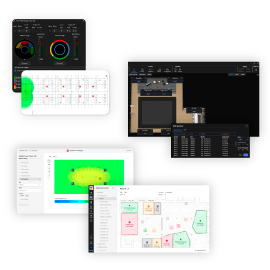
• Visualize coverage, performance, and system layout
This step-by-step approach helps ensure designs are technically sound, consistently documented, and aligned with best practices—without requiring every project to start from a blank page.
Built for scale and standardization
For organizations rolling out AV across multiple buildings or regions, consistency is critical. Workplace Designer enables teams to create repeatable room types and reuse them across sites, avoiding the need to reinvent the wheel for every installation.
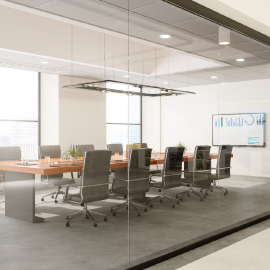
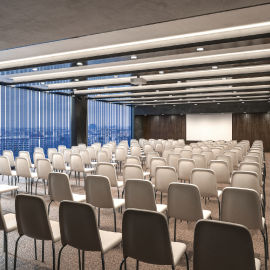
Templates and duplicable designs make it easy to standardize huddle rooms, conference rooms, training spaces, and auditoriums—delivering predictable outcomes and simplifying deployment, support, and lifecycle management.
Faster approvals, fewer bottlenecks
Designs are only valuable if they can move quickly through review and sign-off. Workplace Designer simplifies alignment by making it easy to:
• Share designs for stakeholder review
• Duplicate layouts for similar spaces
• Export complete designs to PDF
Clear visuals and standardized output help decision makers understand the plan, approve it faster, and move the project forward without endless back-and-forth.
From design to deployment—and beyond
Workplace Designer is not a one-off tool. It connects design decisions to the full AV lifecycle—supporting a continuous flow from design → deploy → manage → optimize. The same logic that defines a room at the start helps ensure it is installed correctly, managed efficiently, and optimized over time.
Start with a smarter foundation
If you want fewer revisions, faster approvals, and a scalable path from concept to deployment, the solution is simple:
Explore how to start your next project in Workplace Designer.
