















Events & Tradeshows

MAX Connect Enhancements Bring Re-Broadcasting Feature to Auditoriums and Add New Usability Features
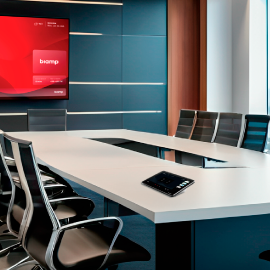
BEAVERTON, Ore., USA & BARCELONA — Biamp, a leading provider of professional audiovisual solutions, today announced a significant software update for MAX Connect, its wireless collaboration hub. The update introduces Auditorium Mode, a powerful new capability that transforms MAX Connect from a collaboration tool into a scalable presentation platform capable of wirelessly broadcasting content to up to 200 participant devices simultaneously. The release also includes Android app support, streamlined guest access, and alignment with the Biamp unified design language.
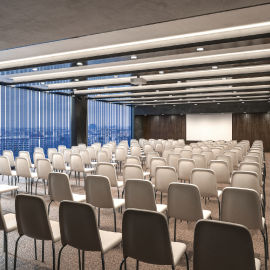
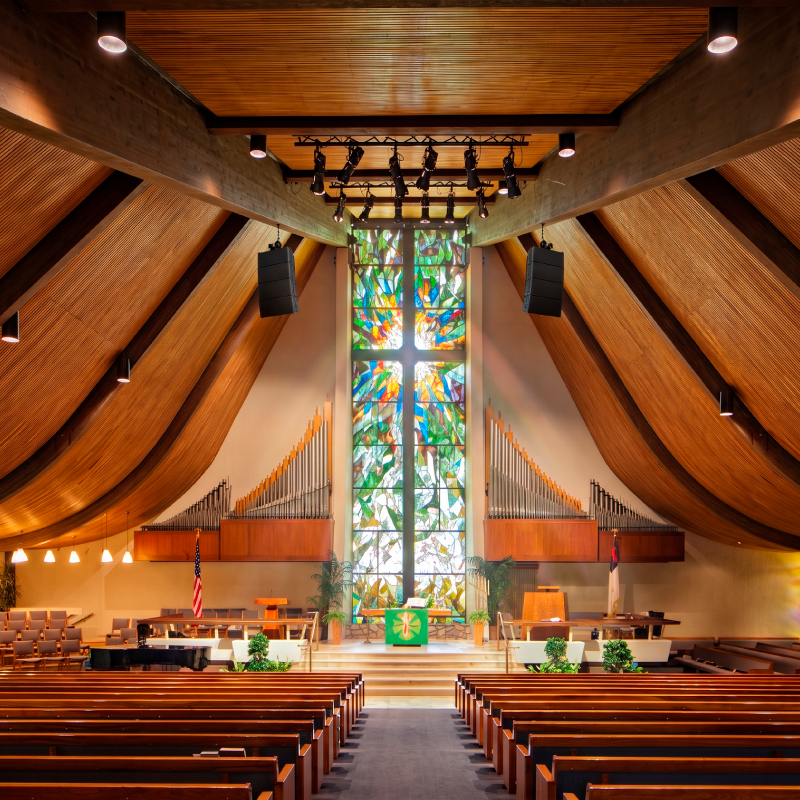
Auditorium Mode addresses a critical need in large venues such as auditoriums, training halls, lecture theaters, and event spaces where one-to-many content distribution is essential. Presenters can now broadcast high-quality content to hundreds of participant devices with just one simple HDMI or USB-C input. Participants receive view-only access to the content, while annotation capabilities remain available on touch-enabled displays.
In large spaces that require supplementary displays for content reinforcement, a new MAX Display App turns Android TV devices and Amazon Fire Sticks into wireless MAX Connect endpoints when Auditorium Mode is enabled. These displays pair with a MAX Connect unit to mirror content—ideal for secondary screens in large rooms or overflow areas. The MAX Display App enables sophisticated multi-screen presentations using affordable consumer hardware. A single Max Connect can wirelessly distribute to up to 6 reinforcement displays.
“Expanding MAX Connect beyond traditional meeting rooms is a response to customer demand for powerful re-broadcasting functionality in larger spaces and spaces designed to accommodate visually impaired participants," said Joe Andrulis, Executive Vice President of Corporate Development at Biamp. "Auditorium Mode delivers exactly that—transforming MAX Connect into a versatile presentation platform that scales from eight-person huddle rooms to 200-person auditoriums, delivering the simplicity, reliability, and ease of deployment for which Biamp is known.”
The update also introduces the MAX Android App, which gives users instant connection to their MAX Connect system, plus integrated screen sharing capability. Android users can now enjoy the same native BYOM experience as iOS users, eliminating device compatibility barriers and ensuring truly device-agnostic collaboration.
Guest access has been simplified through a new dual QR code workflow on the Welcome Screen. Internal participants use one QR code to connect to the corporate Wi-Fi network, while guests use a second QR code to open the MAX session link directly. This streamlined approach reduces friction for visitors while maintaining secure session control—a significant improvement for organizations hosting frequent external collaborators.
The entire MAX Connect interface now reflects the new Biamp visual design standard, including an expanded Welcome Screen background library. This alignment ensures brand and user experience consistency across the Biamp Workplace ecosystem, creating a cohesive look and feel whether users are interacting with MAX Connect, Biamp Workplace, or other Biamp software platforms.
For more information on the complete Biamp product portfolio, visit www.biamp.com.
Contact Us.
Our sales and support teams are ready to help.
Contact us today.
general information
Email:
moc.pmaib@ofnipmaibUS Phone:
1 800 826 1457International Phone:
+1 503 641 7287
technical
supportEmail Biamp Support:
moc.pmaib@troppusUS Phone:
1 877 BIAMP XO (1 877 242 6796)International Phone:
Choose Your RegionTech Return Authorization Request Cornerstone - Online Tech Support
orders
supportEmail:
moc.pmaib@sredroGlobal Phone:
1 800 826 1457 opt 1International Support:
Choose your RegionOrder & shipping status, availability
Orders Return Authorization Request