

















Command

Remote Command,
Total Control

Instantly send system commands to Tesira devices from anywhere. Resolve issues, adjust settings, and keep spaces running smoothly— without stepping on site.

Desk in room showing a TV with a graph
Desk in room showing a blank TV screenDesk in room showing a TVDesk in room showing a TV with a graphDesk in room showing a TV with muted mic icon

THE END OF YOUR EVERYDAY ISSUES

“The display isn’t working!”

✕ TV powered off ✕ Input selection has been changed ✕ Volume muted or needs adjustment ✕ The microphone is too quiet

Fix Issues Remotely

Resolve problems without on-site visits. Support teams can step in from anywhere to keep systems running.

Assist Remotely

Send Commands Directly to the System

Access Commands
Instantly

See all available controls at a glance. Select your Tesira processor and act fast with a clear command list.

Select the Tesira Processor

View a Full List of Available Commands
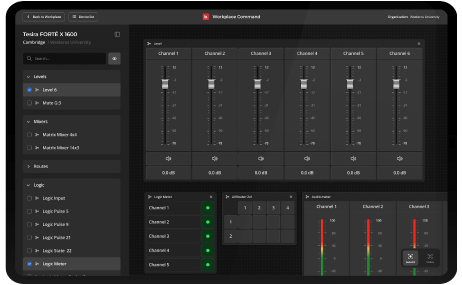
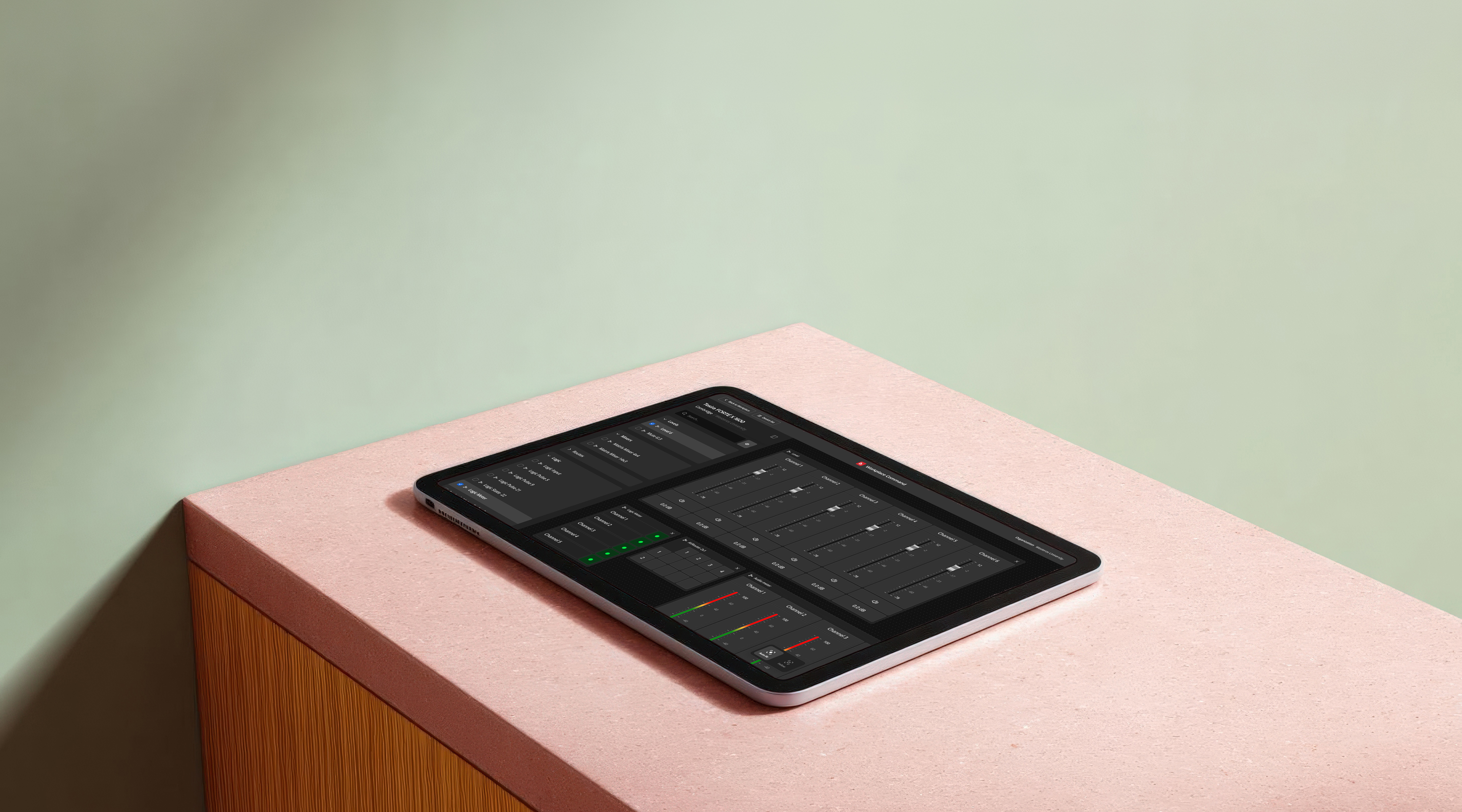
Tablet screen displaying the Biamp Workplace Command interface connected to a Tesira FORTÉ X 1600 device. The dashboard shows audio level sliders for six channels, logic meters with green indicators, routing and mixing controls

Simplify Everyday Use

Operate with confidence through a streamlined interface. Preconfigured widgets and admin-curated lists make it easy for anyone to control the system

Preconfigured Widgets

No Design Work Needed

Admin-curated Command List

Protected Access, Clear Roles

Only authorized users can issue remote commands

Shield iconCommand Admin
User iconCommand User
Secured Cloud Icon
Tablet sitting on a table displaying Biamp Workplace Command

Get Started Today

Create Designs
Save & Share
Always Free

Frequently Asked Questions

Workplace Command lets your team send system commands to deployed AV systems from anywhere. Resolve common issues like wrong input selection, muted microphones, or volume problems remotely — without dispatching a technician on-site.
Command supports real-time control of Tesira and Cambridge Qt X devices. Common actions include adjusting volume, changing input sources, muting and unmuting microphones, recalling presets, and rebooting devices. Authorized users can send any command available in the system's curated command list.
Command sends real-time operational commands to keep deployed AV systems running — built for support teams, IT, and operators handling everyday issues. Workplace Control is the full control system for designing touch panel interfaces, programming custom logic, and integrating third-party devices — built for integrators and programmers.
Command uses role-based access with two roles: Command Admin and Command User. Admins configure which commands are available and who can send them. Users send commands from the curated list. Only authorized users can issue remote commands.
Command requires Tesira or Cambridge Qt X devices and a Monitoring & Management Plus license. Once licensed, your team can access Command through any modern web browser — no client software, no on-site setup.

Resources for Every Role

Explore a variety of resources designed to help you get the most out of Biamp Workplace.

Blog

Explore detailed articles and insights to learn more about every aspect of Biamp Workplace.

Cornerstone

Access in-depth guides, troubleshooting tips, and expert resources to resolve issues quickly.

Training

Free, comprehensive training to enhance your knowledge of Biamp Workplace, tailored for all experience levels.

Contact Support

Get help directly from our support team for any issues or questions you may have.